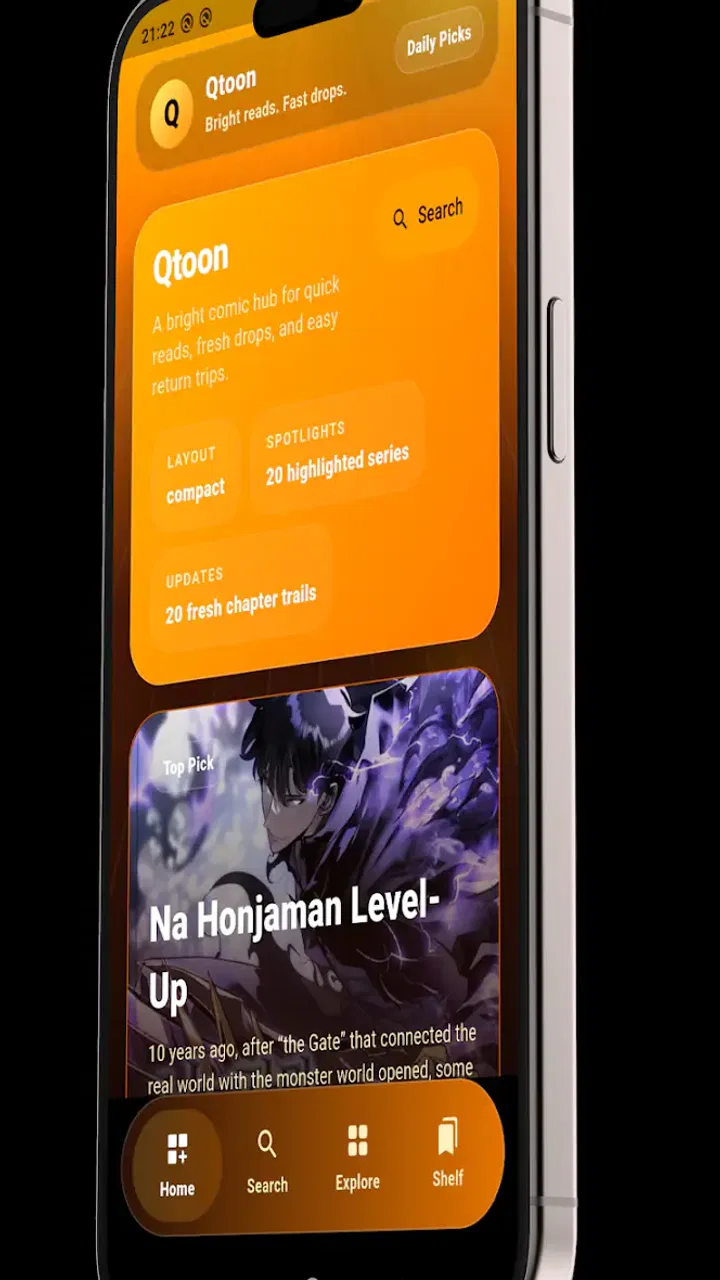
Qtoon : Manga & Comics
- 0.0
- Rating
- 10.00K
- Installs
- Free
- Price

 Analysis by App-foxy
I approached Qtoon: Manga & Comics as a reader who wants to open a series quickly, find something worth trying, and continue without turning the experience into a project. It is a free comics app from StackForges, aimed at manga, manhwa, webtoons, and other digital comics. That broad focus is appealing, especially when my reading habits jump between different formats, but it also means the quality of the experience depends heavily on how clearly the app helps me move from discovery to reading.
The app is listed for everyone and runs on Android 7.0 or later. Its current version is 1.0.0, so I would treat it as an early release rather than a mature replacement for every established comics service. It has passed the ten-thousand-install mark, which gives it a real user base without making it feel like a dominant platform. My overall impression is that Qtoon is most interesting for readers who value a lightweight way to explore several types of comics in one place, while readers who demand a deeply established catalog or highly polished account features may prefer a more familiar alternative.
Where the first reading session can become confusing
The biggest challenge with an app that combines manga, comics, manhwa, and webtoons is not simply displaying pages. It is helping the reader understand what belongs in the library, what is currently available, and what action should come next. When I open a broad comics reader, I want to know whether I am browsing a recommendation area, searching a complete catalog, or looking at titles already saved for later. Any uncertainty at this stage creates friction before the actual reading begins.
You May Also Like

 Blood Strike: 2.5 Anniversary
Blood Strike’s Loadouts Turn Every Drop Into a Tactical Gamble
A close look at Blood Strike’s custom loadouts: how fast access to signature weapons reshapes its battle royale rhythm, rewards preparation, and narrows the gap between fights.

 Pandora - Music & Podcasts
Pandora’s Music Is Easy to Start, but Harder to Recover
Pandora’s strength is its low-effort path from a seed to a station. Its weak spot is how much confidence it asks you to place in connection, setup, and quiet recovery.

 8 Ball Pool
8 Ball Pool Is Built on Rivalries, Rematches, and Routine
A close look at the rivalries, rematches, shared routines, and unanswered safety questions that turn a quick pool match into a persistent mobile community.

 Samsung Music
Samsung Music’s Quiet Strength Is Playing What You Already Own
Its reach comes less from spectacle than from dependable access to a personal library. That simplicity is both the app’s strongest retention engine and its ceiling.

 AccuWeather: Weather Radar
AccuWeather Review: A Quick, Clear Forecast for Everyday Decisions
For everyday plans, the best forecast is the one you can understand quickly. AccuWeather makes rain timing, radar, and local conditions easy to act on, with a few trade-offs.

 Hill Climb Racing
Why Hill Climb Racing Still Turns Crashes Into One More Run
A tiny car, a bumpy hill and one more upgrade: Hill Climb Racing keeps resurfacing because its simple chaos makes every near-miss feel personal.
More From Our News Desk



Qtoon’s appeal comes from bringing different reading traditions together, but those formats do not always behave the same way. A manga reader may expect page-by-page navigation, while a webtoon reader usually thinks in terms of a long vertical scroll. Manhwa readers may also be used to release patterns that differ from traditional comics. Before settling into a series, I would check how its chapters are presented and whether the reading direction feels natural. This small pause prevents a common mistake: assuming that every title should be read with the same gestures.
Another point where users can get stuck is discovery. A broad catalog can be useful when I have no specific title in mind, yet browsing becomes less effective if I treat every visible recommendation as equally suitable. I get better results by starting with a clear intention: looking for a short reading session, continuing a known series, or exploring a particular format. That approach turns the app’s range into an advantage instead of making the home screen feel like an endless shelf.
My practical advice is to test one familiar title before building a large reading routine. A known series gives me a reference for image quality, chapter navigation, loading behavior, and the general feel of the reader. If that first test works smoothly, I can then judge the discovery tools fairly rather than confusing setup uncertainty with a problem in the app itself.
Why format matters more than it first appears
Readers often describe all digital comics as if they were interchangeable, but the format changes how comfortable the session feels. A vertical webtoon can be awkward if I expect to tap through pages, while a conventional manga can feel less natural if I approach it like a continuous feed. In Qtoon, I would pay attention to the title’s visual structure before deciding whether the reading experience suits me.
This also affects screen size. On a phone, a compact page may require more zooming, while a vertical layout can be easier to follow with one hand. On a larger display, page-based comics may feel more spacious, but the same layout can make a long scrolling chapter less convenient if I am holding the device casually. The app is therefore better judged by the formats I actually read than by the number of genres or labels it includes.
Setup checks that prevent avoidable frustration
Because Qtoon is free, the initial decision is simple: install it and see whether its reading style fits. The more important preparation is on the device itself. I would first confirm that the phone or tablet is running Android 7.0 or newer, then make sure the operating system has enough free space for normal app operation. This is basic maintenance, but it avoids blaming a reader when an older device is already struggling with storage or background processes.
I would also begin with a stable connection. A comics app may need to retrieve cover art, listings, or chapter content, and a weak connection can make an otherwise good catalog appear broken. My preferred setup is to open the app on reliable Wi-Fi, search for one title, and open a chapter before trying several searches at once. This creates a clean baseline. If the first chapter loads normally, later problems are easier to isolate.
Notifications and battery settings are worth checking as part of a sensible setup, but I would not change every system setting immediately. Excessive battery restrictions can interrupt apps in the background, while aggressive notification controls can make a reader think updates or activity are missing. I prefer to use the default device settings first and adjust only when a specific inconvenience appears. That keeps troubleshooting focused instead of creating new variables.
For readers using a device with a small screen, I would test the app in both portrait and landscape orientations. Portrait is usually the natural choice for vertical comics, but landscape can make certain page layouts easier to inspect. The useful question is not which orientation is universally best; it is whether the title I am reading remains comfortable without constant pinching and repositioning.
A better way to organize the first session
I would divide the first session into three short checks. First, search for a title I already know. Second, open a different type of comic to compare the reading flow. Third, browse without searching to see whether discovery feels helpful or distracting. This sequence reveals more than simply installing the app and scrolling through the front page.
It also gives a realistic answer to a question many readers have: can Qtoon replace the apps I already use? If I mainly read one publisher’s catalog or depend on a particular official release schedule, I would not assume that a broad reader can replace that dedicated service. If I regularly move between manga, manhwa, webtoons, and general comics, the app’s wider scope may be more valuable than a narrowly optimized alternative.
Since the app is free and carries an everyone content rating, it is approachable for casual exploration. I would still choose titles thoughtfully for younger readers, because an age label for the app does not tell me that every individual story will suit every child. A parent or guardian should look at the specific material being selected rather than relying only on the general app rating.
How I would recover when a reading workflow breaks
When a chapter does not open, the fastest mistake is repeatedly tapping the same control. I get a clearer diagnosis by stepping back: return to the title page, try another chapter or another known title, and then reopen the original item. If only one item behaves differently, the issue may be tied to that content or its availability rather than the entire application.
If several areas fail at once, I would check the connection before reinstalling anything. Switching between Wi-Fi and mobile data can show whether the network is involved, although I would keep data usage in mind because comic pages can consume more bandwidth than ordinary text. I would also close and reopen the app, then restart the device if the problem continues. These are simple steps, but they are safer than immediately clearing all local information.
Clearing storage or reinstalling should be a later step, not the first response. Any locally remembered reading state or preferences could be affected, so I would only use that approach after noting what I need to find again. On a new app version, a temporary glitch can sometimes disappear after a normal restart, while a destructive reset may create extra work without solving the underlying cause.
A useful recovery habit is to change one thing at a time. If I switch networks, update the operating system, clear app storage, and change battery settings together, I lose the ability to tell which action helped. Qtoon is easier to evaluate when I keep the test controlled: one title, one network, one restart, and then a comparison with another title.
The everyday workflow I found most sensible
For a short commute or a quiet break, I would begin by choosing the title before I need it. I would browse while connected to a reliable network, open the series, and confirm that the intended chapter is visible. Then I would read rather than continuing to search. This sounds obvious, but discovery apps can encourage endless browsing, and that can make the service feel less useful than it really is.
For a longer session, I would keep the phone brightness comfortable and use the reading orientation that matches the title. I would avoid judging the app based on one awkward series if another format feels natural. The trade-off is clear: Qtoon’s mixed comics focus can expand what I find, but I may need to adapt my reading habits from title to title.
If I lose track of where I was, I would first return to the same series and look for the most recent chapter I remember opening. I would not assume that a missing place marker means the content itself has disappeared. Navigation confusion and content availability are different problems, and separating them saves time.
When the app is not the cause of the problem
Comic readers are especially sensitive to network conditions because a chapter may contain many images. A page that loads slowly can be caused by crowded Wi-Fi, a weak mobile signal, an active data-saving mode, or a device that is busy with other downloads. Before deciding that Qtoon is unreliable, I would test a different network and compare the behavior with another image-heavy app.
Device age matters too. Android compatibility begins at version 7.0, but meeting the minimum operating system does not guarantee that every older phone will feel equally responsive. Limited memory, low storage, or an aging battery can affect scrolling and loading. If other apps are also closing, freezing, or taking a long time to open, the reader may simply be exposing a broader device problem.
Content-specific behavior deserves separate attention. If one chapter fails while other titles open, I would avoid making a broad judgment about the whole app. A catalog can contain individual items with different layouts or loading demands. Testing several formats provides a more honest picture than repeatedly reopening the same troublesome chapter.
There is also a difference between wanting an official publisher experience and wanting a flexible discovery tool. A dedicated publisher app may be the better choice for readers who care about one catalog’s release process, account ecosystem, or specialized reading controls. Qtoon makes more sense for someone who wants to explore across categories and does not want every reading decision tied to a single source.
Who will get the most from Qtoon?
I would recommend trying it if you regularly alternate between manga, manhwa, webtoons, and comics, especially when discovery is part of the fun. It suits readers who want a free starting point and are willing to test different titles rather than expecting one uniform presentation. It can also work well for someone who reads in short bursts and wants to move from browsing to a chapter without maintaining several separate apps.
I would be more cautious if your routine depends on highly specific catalog coverage, advanced personalization, or a long-established reading history. A newer app at version 1.0.0 may feel less settled than services that have had more time to refine every edge case. That does not make it a poor choice, but it does mean I would use it alongside a trusted favorite until it proves dependable for my particular reading list.
Parents should take a hands-on approach despite the everyone rating. The app itself is broadly rated, but comics cover many themes and audiences. For a shared family device, I would preview titles and guide younger readers toward appropriate material. That is a sensible habit with any broad comics catalog, not a criticism unique to this app.
My practical verdict after testing the idea behind it
Qtoon: Manga & Comics is a promising option for readers who want one free app centered on several comic formats instead of a single narrow reading style. I like the basic direction because it matches how many people actually read: one day a manga chapter, another day a webtoon, and occasionally something outside those labels. StackForges has positioned the app around that variety, and the result is most appealing when I use it as a discovery and reading companion rather than expecting it to replace every specialized service.
The main friction is not the price, since the app is free. It is the need to understand each title’s format, test the connection, and distinguish catalog-specific trouble from a genuine app problem. Those checks are manageable, but readers who want everything to behave identically may find the mixed focus less convenient. I would also avoid judging the entire experience from one stalled chapter or one slow network session.
With over ten thousand installs and an everyone rating, Qtoon is accessible enough to try without a large commitment. My recommendation is to install it on a compatible Android device, begin with a familiar title, then compare that experience with a format you do not normally read. If both workflows feel comfortable, the app could become a useful addition to your reading routine. If your priority is one official catalog or highly specialized controls, a dedicated alternative will probably serve you better.
In short, Qtoon is worth trying for flexible comic discovery, but it rewards a methodical setup. I would keep expectations realistic, use a stable connection, test several formats, and let actual reading comfort decide whether it belongs in my daily rotation.
FAQs for Qtoon : Manga & Comics
01What is Qtoon: Manga & Comics, and what type of content does it offer?
Qtoon: Manga & Comics is a mobile reading platform focused on digital manga, comics, and serialized stories. Its catalog may include romance, drama, fantasy, action, and other popular genres, depending on your region and the current content library. The app is designed for reading episodes on a phone or tablet, with titles generally organized by genre, popularity, updates, and recommendations.
02Is Qtoon: Manga & Comics free to download and use?
The app can generally be downloaded without an upfront charge, but free access does not necessarily mean that every chapter is available at no cost. Some episodes may be unlocked through advertisements, waiting periods, daily rewards, or in-app currency, while newer or premium chapters can require payment. Before reading extensively, check the store listing and the app’s purchase terms for current pricing.
03Does Qtoon require an internet connection to read manga and comics?
An internet connection is normally needed to browse the catalog, load covers, synchronize your account, unlock chapters, and download new content. Depending on the version of the app, selected episodes may be available for offline reading after they have been downloaded, although this feature may be restricted to certain titles or users. Using Wi-Fi is recommended when downloading multiple chapters.
04Are there advertisements or in-app purchases in Qtoon: Manga & Comics?
Qtoon may use a combination of advertising, virtual rewards, subscriptions, or in-app purchases to support access to its content. Advertisements can sometimes be offered as an option for unlocking chapters or receiving bonuses, while premium episodes may require coins or another form of digital credit. Review each purchase screen carefully, especially if children use the device or payment method.
05Is Qtoon: Manga & Comics suitable for children and available in every country?
Suitability depends on the individual titles because manga and comics can contain romance, mature themes, violence, suggestive artwork, or language intended for older audiences. Parents should review the app’s age rating and the content of specific series before allowing access. Availability, translations, payment options, and the selection of titles can also vary by country, platform, and regional licensing agreements.
Pros
- Large catalog of manga and webcomics in one app
- Clean reader interface with smooth page navigation
- Personalized recommendations help discover new series
- Favorites and reading history make it easy to resume chapters
- Supports offline reading for selected downloaded content
Cons
- Some titles or chapters may require a paid subscription
- Content availability can vary by country or region
- Free reading may include frequent ads or waiting timers
- New releases may arrive later than on official publisher platforms
- Account registration may be needed to sync reading progress

Qtoon : Manga & Comics
Gallery